The Real Cost of Running Netbox with Docker Compose versus Managed Solutions
Self hosting Netbox with Docker Compose looks simple on paper, but the hidden costs tell a different story. Here is what you are actually signing up for, and what modern alternatives look like.
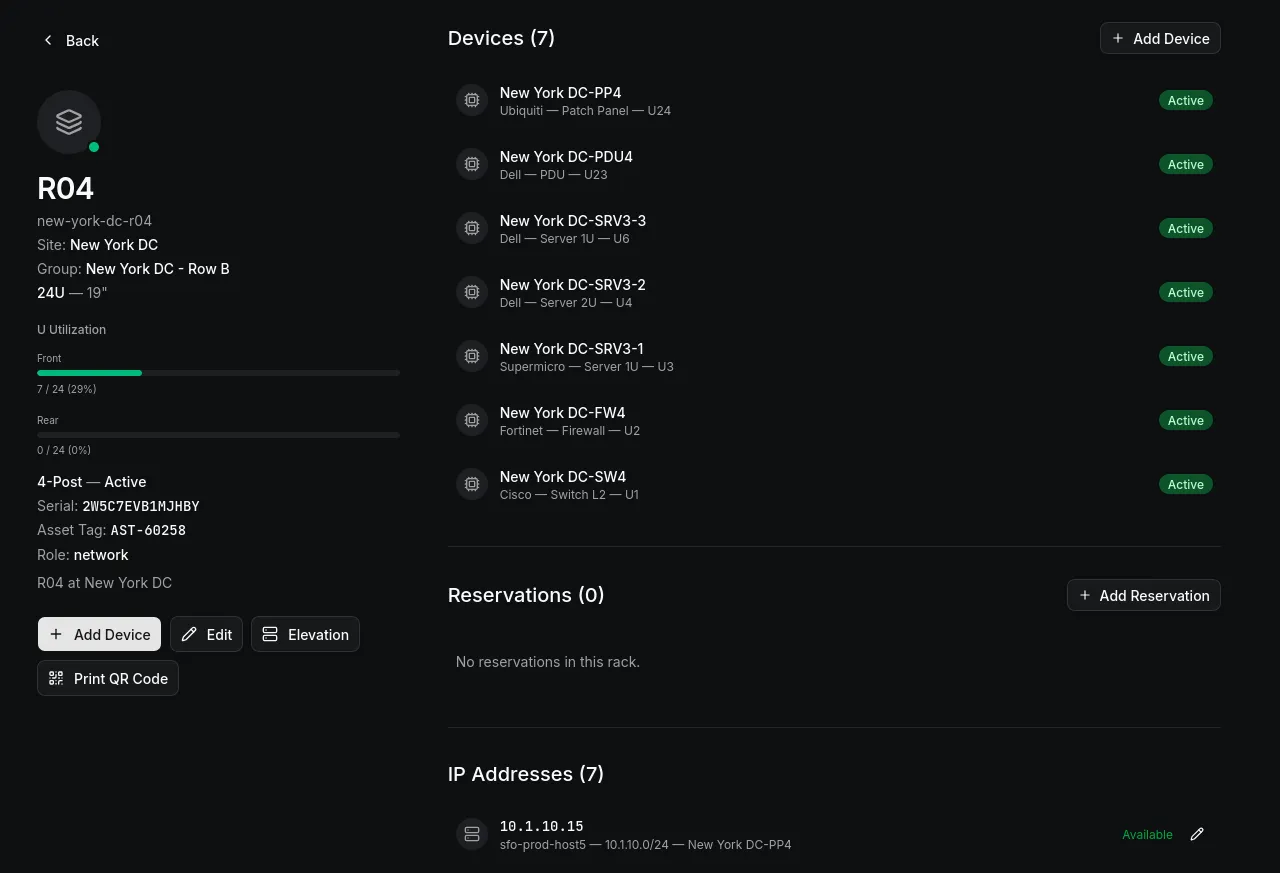
There is a tutorial on the internet for everything, and if you want to run Netbox with Docker Compose, you will find a dozen blog posts, a YouTube walkthrough, and a GitHub repository with a compose file ready to copy, making the whole thing look straightforward with just copying the files, running a command, and having a working infrastructure management platform on your own server.
That initial setup is genuinely easy, and it is where the tutorials end, leaving you with a system that needs attention, updates, backups, monitoring, and troubleshooting from that point forward. The decision to self host a tool like Netbox has real costs that are rarely discussed honestly, and if you are making that decision for your team, you deserve to know what you are getting into.
The Compose File Is the Easy Part
A typical Netbox Docker Compose setup involves a few services: the Netbox application itself, PostgreSQL for the database, Redis for caching and task queuing, Celery for background tasks, and often Nginx as a reverse proxy. Sometimes there is Netbox Workers for asynchronous operations or a separate container for documentation or plugins.
On paper, this is five or six containers, and Docker Compose manages them cleanly: you define the services, set environment variables, map volumes, and run it, which gives you a working Netbox instance the first time without much effort.
That feeling fades quickly once you start configuring each component, because PostgreSQL needs tuning for your workload, Redis needs memory limits, Celery workers need concurrency configuration, and Nginx needs SSL termination, rate limiting, and proxy headers, all of which have their own configuration format, log files, and failure modes, which means debugging a problem often requires tracing through the logs and metrics of multiple services to figure out which one actually broke.
When something does break, and it will, you need to figure out which container caused the problem, whether it was a database connection pool exhaustion, a Redis memory limit, a Celery worker that stopped processing tasks, or an Nginx configuration that blocks API calls from your automation scripts, and at that point you are debugging a distributed system rather than simply using a tool, which is a distinction that most tutorials do not acknowledge.
Updates Are Where It Gets Expensive
The initial deployment is a one time cost, but ongoing maintenance is a recurring cost that compounds over time.
Netbox releases new versions regularly, and some of those releases contain security patches that you need to apply immediately while others contain feature updates your team might want, but each update means pulling new container images, running database migrations, testing that your configuration still works, and verifying that your data is intact.
With a Docker Compose setup, this process is manual: you read the release notes, check the upgrade path, back up the database, pull the new images, run the migrations, restart the containers, and verify everything works, then roll back and figure out what went wrong if something breaks along the way.
For a single instance with a small team, this might take an hour every few weeks, which does not sound bad until you multiply it by the number of infrastructure tools you run, since every tool in your stack that you self host adds to this maintenance burden and the hours, context switching, and risk of a bad update taking down a critical tool all accumulate over time.
Teams that delay updates to avoid this burden end up running versions with known security vulnerabilities, which means the tool that was supposed to make infrastructure management more reliable becomes a security liability because keeping it updated is too expensive.
Backups Are Your Responsibility
Docker Compose does not back up your data, so you need to handle that yourself, which means scheduling regular database dumps, verifying that the dumps are restorable, storing them somewhere outside the server, and testing your recovery process.
A backup strategy for a Netbox Docker Compose setup includes at minimum PostgreSQL database dumps on a schedule, Redis data persistence if you want to preserve cached state, volume backups for uploaded files and configuration, and a tested restoration procedure.
Most teams set up the database dump and consider the job done, but they do not test restoration, verify that the dumps are actually complete, or store backups off site, which means when a disk fails or a database corruption occurs, they discover that their backup strategy was incomplete.
The real cost of a bad backup strategy is not the cost of setting up backups, it is the cost of losing your infrastructure documentation when you need it most, usually during an incident when you are already under pressure and every minute counts.
Monitoring Is Not Optional
Running six containers means six potential points of failure, and without monitoring you find out about problems when users report them, which is the worst time to discover that something has been quietly failing for hours or days.
A minimal monitoring setup needs to track container health, database connection pool status, Redis memory usage, Celery worker activity, disk space for volumes, and application response times, each of which requires either a monitoring stack or at least log aggregation and alerting.
If you are already running Prometheus, Grafana, and a log aggregation system, adding Netbox to your monitoring is straightforward, but if you are not, you are either building monitoring infrastructure specifically for Netbox or operating without visibility into whether the tool your team relies on is actually functioning correctly, and the irony is that the tool you chose to get visibility into your infrastructure now requires its own infrastructure to monitor, which means the Netbox Docker Compose deployment becomes another thing to manage, another dependency to watch, and another potential source of late night alerts.
The Hidden Cost of “Free”
Netbox is free and open source, Docker Compose is free, but the server you run it on is not free, your time is not free, and the opportunity cost of spending hours maintaining a self hosted tool instead of using those hours for actual infrastructure work is not free either.
When you evaluate the cost of a self hosted Netbox deployment, the math needs to include the server hardware or cloud instance cost, which scales with the resources Netbox and its dependencies require, the storage cost for the database, backups, and logs, the network cost if you are running it in a cloud environment, the engineering time for initial setup, configuration, and hardening, the ongoing engineering time for updates, monitoring, troubleshooting, and backups, and the risk cost of running a self hosted tool that might be unavailable when you need it most.
For small teams, this total cost often exceeds what a managed solution would cost, and for larger teams the cost might be justifiable, but only if the team has the expertise to maintain the deployment properly, otherwise the cost is measured in incidents, downtime, and frustration.
What Managed Solutions Actually Offer
The alternative to self hosting is not giving up control, it is a different allocation of responsibility where a managed infrastructure management platform takes on the deployment, maintenance, updates, backups, and monitoring while you get the tool without the operational burden, though you do depend on a third party for availability and lose some control over the underlying infrastructure.
For most teams, this is the right tradeoff because the tool exists to help you manage your infrastructure, and if maintaining the tool itself becomes a significant part of your workload, the tool is working against you rather than for you.
Managed solutions also tend to offer features that are difficult or impossible to replicate in a self hosted deployment, including true multi tenancy with organization level isolation, role based access control that scales across teams, change tracking that provides a complete audit trail without additional configuration, and APIs designed for automation from the start rather than bolted on as an afterthought.
The question is not whether you can run Netbox with Docker Compose, you obviously can, the question is whether you should, given the real costs involved and whether there are better ways to spend your engineering time.
The Docker Compose Alternative That Actually Makes Sense
If you do decide to self host, there are better approaches than a raw Docker Compose deployment, some teams use Kubernetes which adds complexity but provides better orchestration, scaling, and self healing, while others use managed container services like AWS ECS, Google Cloud Run, or Azure Container Apps which handle the infrastructure while you focus on configuration.
These alternatives still require expertise, though, since Kubernetes has a steep learning curve and managed container services have their own quirks and limitations, and the fundamental problem remains that you are spending engineering time on infrastructure management instead of using that time for the work that actually matters to your organization.
How Obelinf Solves This
Obelinf is a managed network and infrastructure management platform that eliminates the operational burden entirely, with nothing to deploy, configure, update, back up, or monitor, since you access it through your browser and it works.
You get the same core capabilities that make Netbox popular, IPAM, DCIM, circuit management, virtualization tracking, and a relational data model that connects every entity in your infrastructure, but you do not spend any time maintaining the platform itself.
Every change to your data is tracked automatically with user, timestamp, and field level diffs, multi tenancy is built in from the start with full organization isolation and role based access control, and the API covers the entire data model with consistent patterns designed for automation rather than bolted on as an afterthought.
The interface is fast, responsive, and designed for keyboard driven workflows, with a command palette that lets you jump to any entity instantly and search that works across every entity type so you can find devices, IP addresses, circuits, and more by any attribute without navigating through menus.
Obelinf scales from a small homelab to thousands of devices across dozens of locations, and it is free for personal use and ready for teams that want to stop managing their infrastructure tool and start actually using it.
If you are tired of Docker Compose files, database migrations, backup scripts, and late night alerts about a Celery worker that stopped processing, give Obelinf a try by signing up for free at obelinf.com and seeing what infrastructure management looks like when you can focus on your infrastructure instead of your tooling.